
Download ZipZap – Seamless Multilingual Translation Tool for Web Browsing
Overview
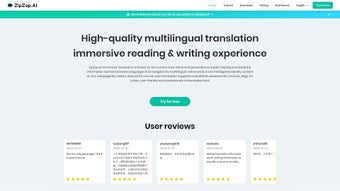
ZipZap.AI is a web‑based AI productivity tool that brings professional‑grade multilingual translation directly into your browser. Powered by the ChatGPT API, ZipZap eliminates the tedious habit of copying text into separate translation apps, allowing you to translate webpages, social feeds, and chat platforms like Twitter and Discord with a single click. The service offers a free tier that grants up to 10,000 tokens per day, which is more than enough for casual users who need occasional translations.
For power users—marketers, content creators, and international teams—ZipZap provides a subscription model with higher token limits, priority processing, and additional utilities such as text summarization and template‑based copywriting. Because the core functionality lives inside a browser extension, the tool works across Windows, macOS, Linux, Android, and iOS browsers that support Chrome‑compatible extensions. Its emphasis on accuracy, speed, and ease of use makes ZipZap an attractive option for anyone who wants to stay productive while navigating multilingual content online.
Key Features and Benefits
- AI‑powered translation on any webpage – no need to leave the site.
- Supports over 100 languages with context‑aware rendering.
- Integrated summarization engine for long articles or threads.
- Template‑driven copywriting generator for marketing copy, emails, and social posts.
- Daily free quota of 10,000 tokens; premium plans for unlimited usage.
- One‑click copy‑to‑clipboard and auto‑detect language options.
- Secure data handling—no text is stored beyond the translation session.
- Browser extension compatible with Chrome, Edge, Brave, and other Chromium‑based browsers.
- Real‑time language switcher for live chat platforms (Twitter, Discord, Slack).
- Regular updates leveraging the latest ChatGPT models for improved fluency.
Pros
- Seamless integration: Works directly inside the browser, removing the need for separate apps.
- High accuracy: ChatGPT’s contextual understanding yields natural‑sounding translations.
- Multi‑purpose toolkit: Summarization and copywriting features add extra value.
- Free tier is generous: 10,000 tokens per day cover most casual browsing needs.
- Cross‑platform support: Works on Windows, macOS, Linux, Android, and iOS browsers.
Cons
- Requires a browser extension; not ideal for users who avoid installing add‑ons.
- Premium subscription can be pricey for small teams.
- Token limits may affect heavy‑duty translation projects.
- Relies on internet connectivity; offline translation isn’t available.
- Some niche languages may still have limited coverage.
Installation, Usage, and Compatibility
Step‑by‑Step Installation
Getting ZipZap up and running is straightforward. First, visit the official ZipZap website and click the “Add to Chrome” (or equivalent) button. The browser will prompt you to confirm the installation; accept the permissions, which primarily allow the extension to read and modify webpage content. Once installed, a small ZipZap icon appears in the toolbar. For mobile browsers, you can add the extension through the Chrome Web Store app or via the “Desktop site” mode on Android/iOS, then follow the same installation flow.
How to Use ZipZap Effectively
After installation, navigate to any webpage containing foreign‑language text. Highlight the paragraph you wish to translate, right‑click, and select “Translate with ZipZap.” The translation panel slides in from the side, displaying the output in your chosen target language. You can instantly copy the result, replace the original text on the page, or trigger the summarization tool by clicking the “Summarize” button. For live chat platforms, enable the “Auto‑Translate” toggle in the extension settings; new messages will be translated in real time, preserving the conversation flow. The settings menu also lets you adjust default source and target languages, manage token usage, and switch between free and premium plans.
Compatibility Details
ZipZap is built for Chromium‑based browsers, which means it runs flawlessly on Google Chrome, Microsoft Edge, Brave, and Vivaldi on Windows 10/11, macOS Ventura and later, and most Linux distributions with a supported browser. Mobile users on Android 8.0+ and iOS 13+ can also benefit from the extension when using Chrome or Edge’s desktop‑site mode. The tool does not support Safari or Firefox natively at this time, though a roadmap for future compatibility is under development. Because ZipZap processes data in the cloud via the ChatGPT API, the only local requirement is a stable internet connection and a modern browser that can execute JavaScript securely.
Frequently Asked Questions & Final Thoughts
Is ZipZap safe for confidential or sensitive information?
Yes. ZipZap does not store translated text beyond the active session. All data is transmitted over encrypted HTTPS connections, and the service complies with standard privacy practices. However, for highly classified documents, it’s advisable to use on‑premise translation solutions.
Can I use ZipZap without an internet connection?
No. ZipZap relies on the cloud‑based ChatGPT API for processing, so an active internet connection is required for every translation, summarization, or copywriting request.
How does the free token limit work?
The free tier grants 10,000 tokens per 24‑hour period. Tokens are consumed based on the length of the source text and the complexity of the request (translation vs. summarization). Once the limit is reached, you’ll need to wait until the quota resets or upgrade to a paid plan.
Does ZipZap support right‑to‑left languages like Arabic or Hebrew?
Absolutely. The AI model handles RTL scripts natively, preserving proper formatting and punctuation when translating to or from languages such as Arabic, Hebrew, Persian, and Urdu.
What payment methods are accepted for the premium subscription?
ZipZap accepts major credit cards (Visa, MasterCard, American Express), PayPal, and Stripe for recurring subscriptions. Annual plans provide a modest discount compared to month‑to‑month billing.
In summary, ZipZap delivers a powerful, AI‑driven translation experience that fits naturally into everyday web browsing. Whether you’re a global marketer needing quick copy tweaks, a student researching foreign sources, or a remote team collaborating across language barriers, the tool’s real‑time capabilities and extra utilities make it a compelling addition to your digital toolkit. Ready to break language walls without leaving your browser? Download ZipZap today, start with the generous free tier, and upgrade whenever your workflow demands more power.






